
A 4,000-character limit does not have one exact word equivalent. As a planning estimate, 4,000 characters including spaces can hold about 570 to 800 words if your text averages five to seven characters per word, counting spaces and punctuation. At six characters per word, the estimate is about 667 words.
Those are assumptions, not a guaranteed range. Short everyday words can fit more words into the same space than technical language. The only reliable way to check a finished draft is to count its actual characters using the same rules as the form where you will submit it.
Characters versus words: what is the difference?
A word count measures units such as “write,” “clear,” and “sentences.” A character count measures the individual letters, digits, punctuation marks, and sometimes spaces that make up those words.
Consider this sentence, without the surrounding quotation marks:
We can fix this today.
It contains 5 words, 22 characters including spaces, and 18 characters excluding spaces. The four spaces explain the difference between the two character totals. The final period still counts in both totals.
This is why “4,000 characters” and “4,000 words” mean very different things. A character limit is a space budget, not a target number of words.
A Simple 4,000 Characters to Words Estimate
Use this calculation when you have not written the text yet:
Estimated words = character allowance / average characters per word
The average must match the counting rule. For a limit that includes spaces, include spaces in your average too.
| Counting rule | Assumed characters per word | Approximate words in 4,000 characters |
| Including spaces and punctuation | 5 | 800 |
| Including spaces and punctuation | 6 | 667 |
| Including spaces and punctuation | 7 | 571 |
| Excluding spaces, including punctuation | 4 | 1,000 |
| Excluding spaces, including punctuation | 5 | 800 |
| Excluding spaces, including punctuation | 6 | 667 |
These examples show how the calculation works. They are not measurements of every type of English writing. A draft full of long names, web addresses, or specialist terms can fall outside these estimates.
For an actual submission, plan with an estimate and finish with a character count. Do not keep cutting useful information simply because your draft has more words than a generic conversion chart suggests.
Three Real Examples with Exact Counts
Here are three original passages you can paste into a counter. Count only the passage, with no quotation marks, heading, or extra line break at the end. For this comparison, a word is a space-separated unit.
Example A: short, everyday words
We can fix this today. Send the file to me, and I will check each row before we share it with the team.
Example B: an application-style statement
I coordinated the project, reviewed customer feedback, and prepared a practical improvement plan for the next reporting period.
Example C: technical wording
Authentication requirements, configuration dependencies, and compatibility limitations influence implementation decisions across distributed applications.
| Passage | Words | Characters with spaces | Characters without spaces |
| A: everyday wording | 23 | 103 | 81 |
| B: application-style wording | 18 | 127 | 110 |
| C: technical wording | 13 | 154 | 142 |
The technical passage has fewer words, but those words take up more space individually. That is the main weakness of any fixed characters-to-words conversion: it cannot know the vocabulary you are going to use.
Does the Character Limit Include Spaces?
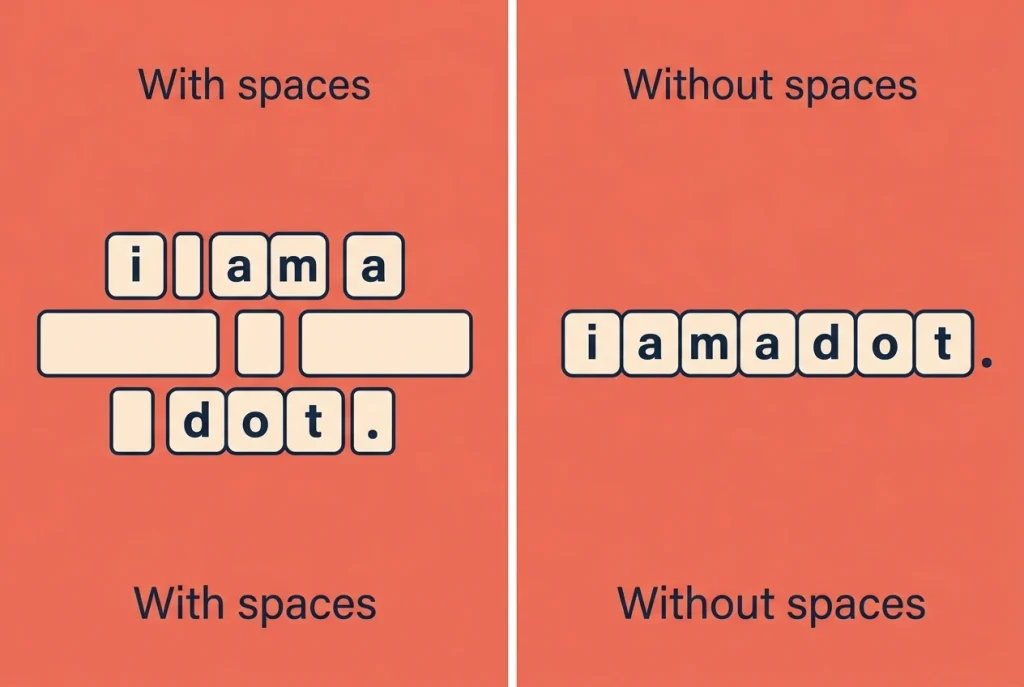
Read the field instructions before editing. “Characters including spaces” includes the gaps between words. “Characters excluding spaces” does not. Punctuation is not automatically excluded just because spaces are excluded.
For a one-line passage with one ordinary space between each word and no leading or trailing space, this relationship is useful:
Characters with spaces = characters without spaces + word count – 1
For example, a 600-word draft has 599 gaps between words under those assumptions. If it contains 3,200 non-space characters, its total is 3,799 characters including spaces.
That leaves 201 characters, not 201 words, within a 4,000-character allowance. A heading or an extra paragraph break may use some of that remaining allowance, depending on the destination’s rules.
What about punctuation, line breaks, and emojis?
Periods, commas, apostrophes, and digits occupy character positions. Paragraph breaks and pasted formatting can also affect a field’s count, so check the final pasted version rather than only the original document.
Emojis need extra care. What looks like one symbol may be represented by several underlying units. MDN explains that JavaScript string length counts UTF-16 code units, which are not always the same as visible characters. For example, some single emojis use two code units, while combined emojis can use more.
You do not need to learn Unicode to finish an application. The practical rule is simpler: the receiving form’s counter is the final check, especially when your text includes emojis or unusual symbols.
How to Count a Draft Accurately
Keep an editable copy, then check the text you intend to submit. Do not include notes or instructions that will not go into the field.
- Paste the draft into the NavigationHubs Word Counter to review its text counts.
- Confirm whether the relevant character total includes spaces.
- Remove accidental leading spaces, extra blank lines, and copied labels.
- Paste the cleaned draft into the destination field.
- Check the destination’s count and read the beginning and end to make sure nothing was cut off.
Another option is Google Docs. Its official word-count instructions show how to open Tools > Word count and view words, characters, and characters excluding spaces. Select only the passage you need to measure when the document also contains other material.
Do not upload a private application or confidential client text to an unfamiliar service. Use an approved editor when privacy requirements apply.
How to Shorten a Draft without Removing its Meaning

Start with repetition and unnecessary framing, not the details that prove your point.
Before:
I was responsible for the task of checking the weekly reports in order to find mistakes.
After:
I checked weekly reports for mistakes.
The first version uses 88 characters, including spaces. The revision uses 38, saving 50 characters while keeping the action and purpose.
However, shorter is not always better. Replacing “I checked 120 weekly reports and corrected 18 errors” with “I checked reports” removes evidence. Keep useful numbers, outcomes, and examples. Cut vague introductions such as “It is important to note that” before cutting substance.
A practical editing order is to remove repeated points, replace long phrases with direct verbs, combine overlapping sentences, and check whether every example supports the main message. Then recount the draft.
How to Plan a 4,000-character Response
Instead of assigning a rigid word count to each paragraph, divide the character budget by purpose. Here is one possible structure for a four-part response:
| Part | Example allowance, including spaces |
| Direct opening and main point | 400 characters |
| First example or explanation | 1,200 characters |
| Second example or explanation | 1,200 characters |
| Closing point and relevance | 800 characters |
| Editing buffer | 400 characters |
| Total allowance | 4,000 characters |
This is a drafting template, not a rule for applications. Follow any required questions or section limits first. The buffer gives you room for clearer wording and formatting changes; you do not have to fill the field completely.
Common Questions
Are 4,000 characters always about 700 words?
No. About 700 words is one possible result, not a fixed conversion. It assumes roughly 5.7 characters per word including spaces. Your own text may use shorter or longer words.
How many pages are 4,000 characters?
There is no fixed page count. Font, spacing, margins, headings, and paragraph lengths all affect the result. A form with a character limit is checking text length, not the number of pages your document occupies.
Should I remove spaces to fit more words?
No. Removing necessary spaces makes the text harder to read and can change its meaning. Tighten the writing instead. A clear 3,700-character response is more useful than an unreadable one squeezed into exactly 4,000 characters.
The takeaway: use a rough word estimate to begin, but use the actual character count to finish. Know whether spaces count, preserve the details that matter, and check the final text in the destination field.