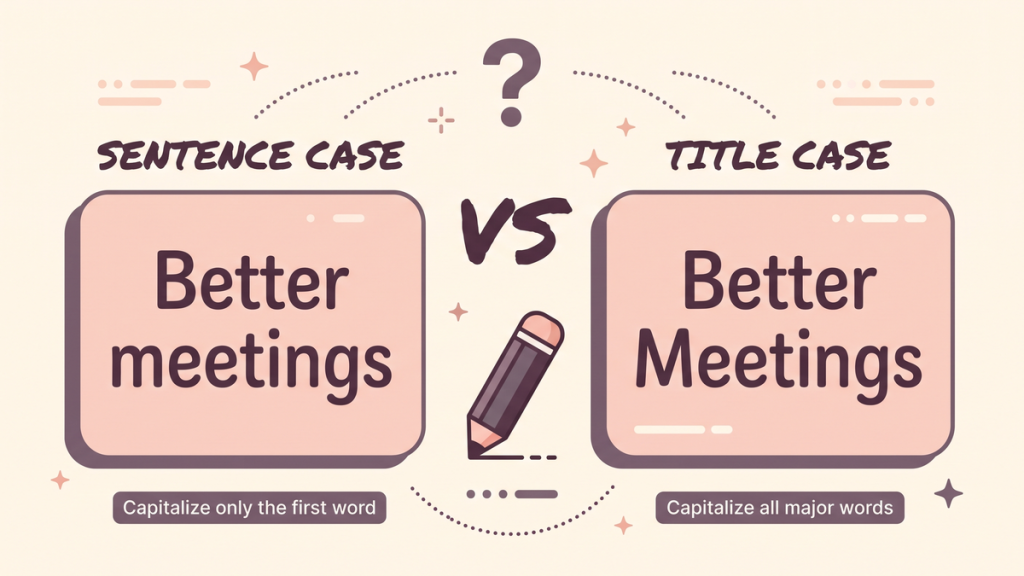
Two headings can say exactly the same thing and still feel different:
How to organize a shared workspace
How to Organize a Shared Workspace
The first uses sentence case. The second uses title case. Neither is automatically more professional, and neither requires you to write every word in capitals. The right choice depends on the document, the audience, and the style guide you are following.
When deciding between sentence case vs title case, start with the job the text is doing. A button, a report heading, an article title, and a reference-list entry do not always follow the same convention. This guide gives you a practical way to choose and apply a consistent style.
The difference in one minute
Sentence case capitalizes the first word and words that already need capitals, such as names and acronyms. It resembles the capitalization of an ordinary sentence, although headings usually do not end with a period.
Title case capitalizes major words according to a particular style’s rules. Short function words may remain lowercase, but the details vary among guides. Title case is therefore not simply “capitalize the first letter of every word.”
Compare these examples:
|
Use |
Sentence case |
Title case example |
|---|---|---|
|
Article heading |
A guide to better meetings |
A Guide to Better Meetings |
|
Report section |
Working with customer feedback |
Working with Customer Feedback |
|
Tutorial |
How to use Google Sheets |
How to Use Google Sheets |
|
Short title |
Why it is worth trying |
Why It Is Worth Trying |
Notice that “Google Sheets” keeps its capitals in both versions. Sentence case does not mean turning all words after the first one into lowercase.
The first decision: is a style already required?
Before changing anything, check the assignment, publication, organization, or product style guide. Consistency with a required convention matters more than your personal preference.
An academic reference list may require sentence case for a work’s title even when the same work appears in title case on its cover. An organization may prefer sentence case for every interface label but use title case for formal publication names.
If no guide is required, create a short rule for your project. For example: article titles use title case; section headings use sentence case; product names retain their official spelling. That is enough to prevent many inconsistencies.
The second decision: what is the text doing?
For a button such as “Save your changes,” sentence case usually gives you a straightforward interface label. Title case is possible under a product’s house style, but it should not make an ordinary instruction look like a formal publication title by accident.
For a report, consistent section headings help readers recognize the structure. Pick a treatment for each level and apply it throughout. You do not need to alternate capitalization styles merely to make the page look varied; typography and heading level can provide the hierarchy.
For a book, essay, or article title, use the required title capitalization style. If you quote someone else’s brand or product name, preserve its recognized form rather than forcing it into your general conversion rule.
The practical question is, “What convention will readers expect here?” It is more useful than asking which version contains more capital letters.
An editor’s walkthrough: fix a mixed-style page
Imagine a page with these headings:
Getting Started With Your Account
How to change your Password
SAVING YOUR SETTINGS
The problem is not that one heading uses sentence case and another uses title case in isolation. The page has no clear system, and the random capital in “Password” has no obvious reason.
For a sentence-case interface guide, revise them to:
Getting started with your account
How to change your password
Saving your settings
For a title-case publication, a consistent version could be:
Getting Started With Your Account
How to Change Your Password
Saving Your Settings
The exact treatment of “With” depends on the chosen title-case guide. Do not mix a rule from one guide with an exception remembered from another. Name the guide, check the disputed word, and keep the rest of the page consistent.
Why short words can still need capitals
A common shortcut says to lowercase all short words. That creates mistakes because a word’s grammatical role can matter. “Is” and “Be” are verbs, and “It” is a pronoun; title-case systems commonly capitalize such major words even though they are short.
Another shortcut says to lowercase every preposition. That also fails in styles that use a length threshold or special treatment at the beginning of a title. Chicago’s 18th-edition changes, for example, include capitalizing prepositions of five or more letters in title case.
The lesson is not that you must memorize every guide. It is that a reliable title case converter needs to know which guide you want. A basic converter cannot resolve every grammatical role, brand name, or editorial exception automatically.
Protect names, acronyms, and meaningful casing
Suppose your heading is “Using SQL with customer data.” A careless sentence-case operation might turn SQL into “sql.” That is not a useful improvement. The same issue appears with names such as iPhone, WordPress, and organizations that use a particular form.
Make a short protected-terms list for recurring work. Include product names, organization names, abbreviations, and any specialized labels whose casing carries meaning. Review those terms after conversion.
This is especially important when transforming a large batch of headings. Automated consistency can spread an error very efficiently. Check a sample first, then scan the finished results for the terms most likely to be damaged.
A decision guide you can use while writing
If the text belongs to an assignment or publication with a named style, follow that style. If it belongs to an existing website or product, match the established treatment for the same kind of element. If you are creating a new project, choose a simple house rule and record it.
For ordinary explanatory subheadings, sentence case is an easy starting point. For titles governed by an editorial style, use that guide’s title-case rules. For quotations, citations, brands, and technical identifiers, check the specific context rather than applying a global shortcut.
When two options both look acceptable, read the entire page. Consistency among equivalent headings usually matters more than a preference based on one isolated line.
Use a converter as a first pass, not an editor
The Case Converter can help with basic uppercase, lowercase, and title-case changes to pasted text. Its basic title-case output is not a guarantee of compliance with a named editorial guide, and it does not provide a dedicated sentence-case mode.
After conversion, review the first word, short major words, names, acronyms, hyphenated expressions, and any text after a colon. Do not assume a clean-looking result has made every editorial decision correctly.
Try a final check with this heading: “how to work with NASA data.” Sentence case becomes “How to work with NASA data.” A title-case version needs the selected guide’s treatment of the other words, while NASA remains intact in either case. That small example captures the main principle: change the style without losing the meaning.