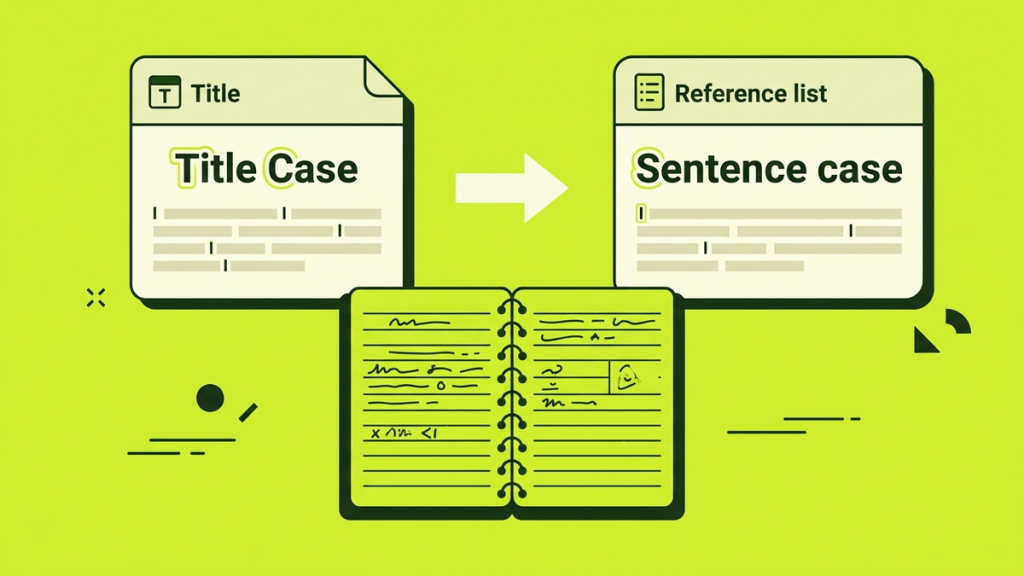
APA title capitalization depends on where the title appears. Your paper title and section headings use title case. Titles of articles, books, reports, and webpages in the reference list usually use sentence case. Journal names in the reference list use title case.
That means the same article title can be capitalized differently when you mention it in a paragraph and when you list it as a reference. This is intentional, not an inconsistency to correct.
The examples below follow APA 7 guidance. They focus on capitalization, not every requirement for formatting a complete APA paper or citation.
Choose the location before changing the letters
|
Where the title appears |
Capitalization pattern |
|---|---|
|
Title of your own paper |
Title case |
|
Section heading or subheading |
Title case |
|
Article title mentioned in your writing |
Title case |
|
Book title mentioned in your writing |
Title case |
|
Article, book, report, or webpage title in a reference |
Sentence case |
|
Journal, magazine, or newspaper name in a reference |
Title case |
The distinction between an article title and a journal title is especially important. Both can appear in the same reference entry, but they follow different capitalization patterns.
How APA title case works
In title case, capitalize the first word, major words, and words with four or more letters. Major words include nouns, pronouns, verbs, adjectives, and adverbs. Short articles, conjunctions, and prepositions generally stay lowercase unless another rule requires a capital.
Purdue OWL’s APA guidance explains these distinctions, including short verbs and longer words.
Consider this original example:
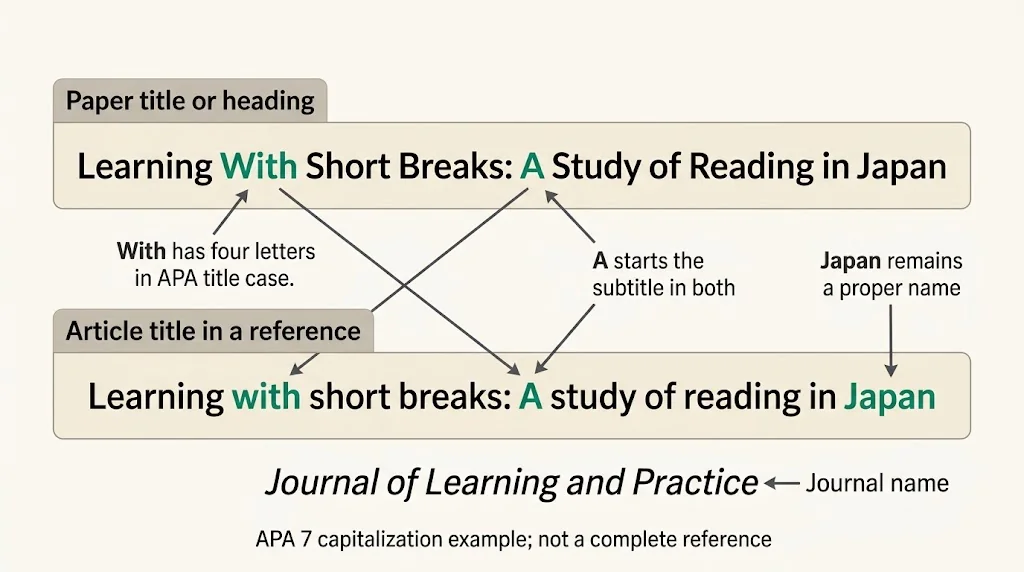
Learning With Short Breaks: A Study of Reading in Japan
Here is why it looks that way:
- Learning, Short, Breaks, Study, Reading, and Japan are major words or proper names.
- With has four letters, so it is capitalized in APA title case.
- A begins the subtitle after the colon.
- of and in are short prepositions inside the title, so they remain lowercase.
Short words are not automatically lowercase
A rule such as “lowercase every word under four letters” will give you mistakes.
Write Why Rest Is Part of Learning. It is a verb, so it receives a capital even though it has only two letters.
Other short words that can need capitals include Be, We, You, and My. Their grammatical role matters, not just their length.
Four-letter prepositions are capitalized
In APA title case, words such as With, From, and Over are capitalized because they have four or more letters.
Write Learning From Small Mistakes, not Learning from Small Mistakes, when title case is required.
Do not transfer a rule from another style guide without checking it. Different title-case systems do not always treat the same word identically.
Check subtitles and hyphenated major words
Capitalize the first word after a colon or a dash that introduces a subtitle. In Reading at Home: A Practical Study, the A is capitalized even though it is an article.
A hyphen does not automatically make the next major word lowercase. Self-Report Measures in Learning Research capitalizes both Self and Report in title case.
For unusual technical names or compounds, check the relevant style guidance rather than using an unrestricted “capitalize every part” rule.
APA paper titles and headings use title case
Your paper title uses title case. Section headings and subheadings do too.
For example:
Reading Habits in First-Year Students
Possible section headings include:
Study Design
Changes in Reading Time
Limitations and Future Research
APA has five heading levels. Their placement, bolding, italics, and punctuation differ, but title case applies across all five. Purdue’s APA headings guide shows those formatting differences.
A frequent mistake is to switch lower-level headings into sentence case because they look less prominent. Heading level and capitalization are separate decisions in APA 7.
Also, capitalizing a heading correctly does not make its overall formatting correct. You still need the appropriate heading level for your paper’s structure.
Reference titles usually use sentence case
Sentence case is much more restrained. For the title of an article, book, report, or webpage in the reference list, capitalize the opening word, the first word of a subtitle, proper nouns, and abbreviations that require capitals.
The earlier example becomes:
Learning with short breaks: A study of reading in Japan
With, short, breaks, study, and reading are now lowercase. Japan stays capitalized because it is a proper name. A stays capitalized because it starts the subtitle.
Purdue’s reference-list rules distinguish these titles from periodical names, which retain title case.
An article title is not its journal’s name
Imagine a fictional article called Learning with short breaks: A study of reading in Japan, published in a fictional journal called Journal of Learning and Practice.
In the reference list, the article title uses sentence case. The journal name uses title case and is italicized. Do not lowercase the whole reference entry in one operation.
These are illustrative title components, not a complete reference. A finished citation also needs the correct author, date, publication details, and any other information required for that source type.
Keep names and acronyms intact
Sentence case does not mean “make everything after the first word lowercase.”
For example:
Using APA guidance in an English writing course
APA and English keep their capitals. A mechanical lowercase conversion would damage those terms.
Similarly, a book’s title being printed in all caps on its cover does not mean the reference-list title should stay in all caps. Apply the appropriate APA reference pattern while preserving names and meaningful capitalization.
Mentioning a source title in your paragraph
When a source title appears in your prose, use title case rather than copying the reference-list capitalization unchanged.
For an article title, an example is:
The article “Learning With Short Breaks: A Study of Reading in Japan” examines a particular study design.
For a standalone book title, use title case and italics, such as Writing With Clear Examples. Article titles and book titles do not receive identical punctuation treatment even though both use title case in the text.
The titles in these examples are invented to demonstrate formatting. They are not references to real research findings.
A short capitalization practice set
Try correcting these title components for the location stated.
|
Location |
Text to edit |
|---|---|
|
Paper title |
why rest is part of learning |
|
Section heading |
learning with short breaks |
|
Article title in a reference |
Reading In Japan: a Classroom Study |
|
Book title in a reference |
USING APA GUIDANCE IN ENGLISH |
|
Paper title |
self-report measures in reading research |
Answer key
Why Rest Is Part of Learning: Is is a verb; of remains lowercase.
Learning With Short Breaks: With is capitalized in APA title case.
Reading in Japan: A classroom study: sentence case applies, with a capital A after the colon and a capital J for Japan.
Using APA guidance in English: APA and English retain their required capitals.
Self-Report Measures in Reading Research: the major parts of Self-Report are capitalized; in remains lowercase.
Check your title before submitting
First identify its location. Then check sentence beginnings, subtitles, proper names, short verbs, and four-letter words. Finally, review the required italics or quotation marks separately.
A general case converter is useful for mechanical letter changes, but it is not proof of APA compliance. The NavigationHubs converter is not an APA citation formatter. A title that looks tidy can still use the wrong pattern for its location.
The key rule is simple: use title case for paper titles and headings, and sentence case for most source titles in references. Treat journal names separately.